
Uncategorized
PLUG PLAY™ Battery Guide: Everything You Need to Know About the “Play”
May
In the world of premium extracts, hardware is just as important as the oil itself. The PLUG PLAY™ Play Battery has reached legendary status for one simple reason: it hits harder and lasts longer than almost any other pod system on the market. Whether you are a long-time fan or a newcomer to the “Plug” lifestyle, understanding your hardware is the key to a spectacular experience.
In this comprehensive guide, we’re breaking down the specs, the tech, and the tips you need to keep your “Play” battery in peak condition.
1. Technical Specs: What’s Under the Hood?
The “Play” isn’t your average vape pen. While standard 510-thread batteries often struggle with consistency, the PLUGPLAY™ hardware is engineered for high-output performance.
- Battery Capacity: 500mAh Lithium-ion cell.
- Puff Count: Over 350+ puffs per full charge.
- Charging Port: Newer 2026 models feature USB-C rapid charging, while legacy models utilize Micro-USB.
- Activation: Tactile button-activated firing for precise control.
The 500mAh capacity is significantly larger than many competitors, meaning you spend less time tethered to a cable and more time enjoying your favorite DNA or Exotic pods.
2. The Anatomy of the “Play” Battery
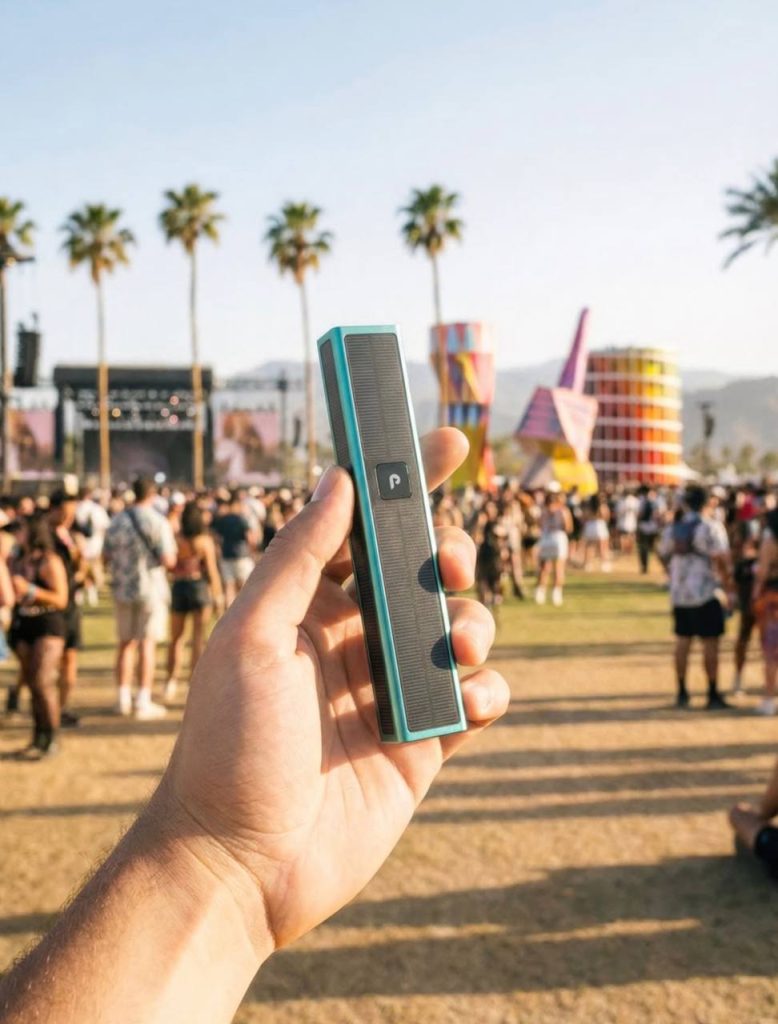
The beauty of the PLUGPLAY™ system lies in its “Form & Function” philosophy. It is slim, discreet, and fits perfectly in the palm of your hand, yet it feels sturdy enough to survive daily use.
Aluminum Alloy Chassis
The exterior is crafted from a lightweight yet durable aluminum alloy, available in classic matte black, steel, and a variety of limited-edition colorways.
Magnetic Connection
Forget about stripped threads. The PLUGPLAY™ uses a proprietary magnetic docking system. Simply “Plug” the pod into the “Play” battery, and the magnets secure it instantly with a satisfying click.
3. How to Charge Your PLUG PLAY™ for Maximum Longevity
To ensure your battery life doesn’t degrade over time, follow these charging best practices:
- Identify Your Port: Check the bottom of your device. If the port is oval-shaped, it’s USB-C. If it has one flat side, it’s Micro-USB.
- Avoid Fast Chargers: While it’s tempting to use your 65W laptop brick, it is best to use a standard 5V/1A wall adapter or a laptop USB port to prevent overheating.
- Watch the LED:
- Red Light: The device is actively charging.
- Blue/Green or Light Off: The battery is fully juiced and ready for action.
- Don’t Overcharge: Once the light indicates a full charge, unplug it. Leaving lithium batteries on the charger for days can shorten their lifespan.
4. Troubleshooting: Why is my PLUG PLAY™ Blinking?
Nothing ruins a session like a device that won’t fire. If your battery is acting up, don’t panic—it’s usually a quick fix.
The Blinking White Light
If your battery blinks white when you press the button, it usually means there is a connection issue.
- The Fix: Remove the pod and check for oil residue on the gold contact pins. Clean them gently with a Q-tip dipped in 90% isopropyl alcohol.
The Blinking Red Light
A red blink typically indicates that the battery is critically low or dead.
- The Fix: Plug it in for at least 30–60 minutes. If it still blinks red while plugged in, try a different charging cable.
No Vapor, But Light is On
If the light glows but you aren’t getting a hit, your pod might be clogged.
- The Fix: Take a few “dry pulls” (inhale without pressing the button) to clear the airway, or gently warm the pod between your hands to loosen the oil.
5. Why the “Play” Battery is the Industry Standard
When you compare the PLUGPLAY™ to other pod systems, the difference is the power curve. Most batteries lose hit strength as the charge drops. The “Play” is designed to deliver a powerful, consistent voltage from the first puff until the very last bit of battery percentage.
This consistency ensures that you are actually vaporizing the oil at the intended temperature, preserving the terpenes and flavor profiles that make the DNA and Exotic lines so popular.
Final Thoughts: Level Up Your Sessions
The PLUGPLAY™ Play Battery is more than just a power source; it’s the heart of your experience. By keeping it clean, charging it correctly, and understanding its signals, you ensure that every hit is as smooth and potent as the first.
Ready to upgrade your hardware? Make sure you are always using authentic PLUGPLAY™ products from authorized retailers to guarantee safety and performance.
